Stocks Signals - Stock Tracker
Stock Screener APPFinance
3.482.00 Reviews
- Version
- 4.9
- Installs
- 100.00K
- Age Rating
- Everyone
Screenshots
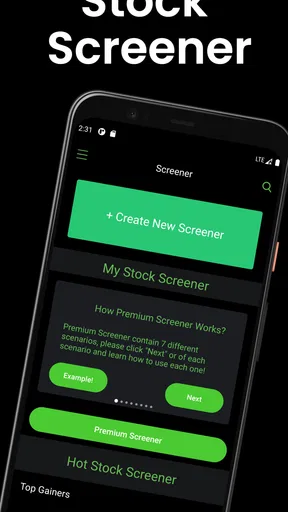
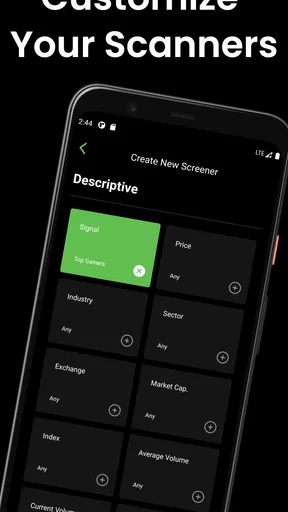
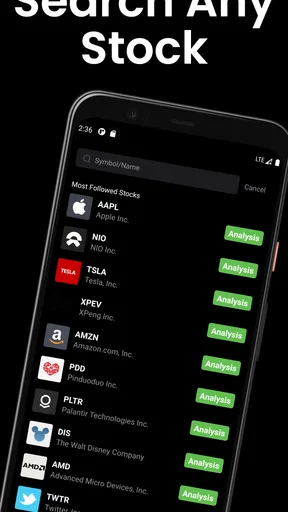
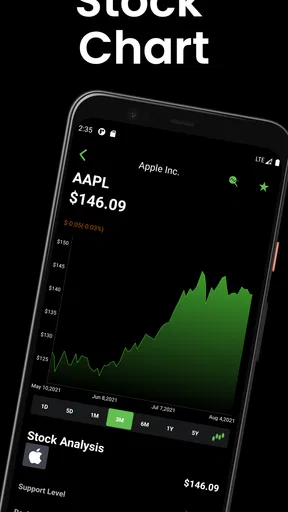
Our Review of Stocks Signals - Stock Tracker
 Analysis by Appyee
I approached Stocks Signals - Stock Tracker as a practical finance app rather than a replacement for a broker. Its appeal is straightforward: it brings stock screening and signal-focused research into one mobile workspace, so I can narrow a large market into a smaller list worth investigating. That makes it useful when I already have a question in mind, such as “which companies currently match this pattern?” It is less convincing when I want a complete investing service with execution, deep company research, portfolio administration, and personal financial planning all in one place.
My overall view is positive but measured. The app can help turn an unfocused search into a repeatable routine, especially for people who prefer scanning candidates on a phone instead of opening a full desktop platform. At the same time, the word “signals” needs to be treated carefully. A signal can help me decide what deserves attention; it cannot decide whether a company fits my risk tolerance, time horizon, or financial situation. The strongest way to use this app is as a filter and alert companion, not as an automatic decision-maker.
How the stock research experience works in practice
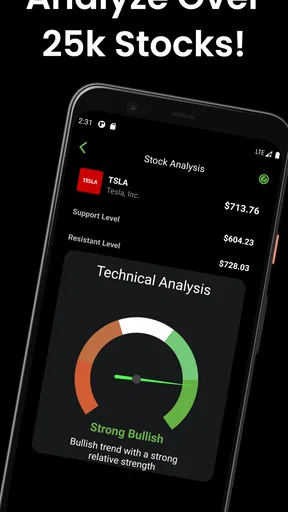
The core idea is to combine an AI-powered trading signal approach with a stock screener. In everyday use, that means I can begin with a broad market and gradually reduce the number of names I need to examine. This is a much more sensible workflow than browsing random tickers or reacting to whichever company happens to be trending that day.
A screener is most valuable when I use it to answer a specific question. For example, I might be looking for stocks that satisfy a certain technical condition, or I might want to review candidates before doing more careful research elsewhere. The app’s signal-oriented design gives that process a quicker starting point. Instead of treating every listed company as equally important, I can use the app to create a shortlist and then investigate the shortlist with more context.
That distinction matters because mobile finance tools often become frustrating when they try to do everything. A dedicated broker is usually better for placing orders, checking account balances, and handling transactions. A research website may offer richer charts, filings, analyst material, and comparison tools. Stocks Signals - Stock Tracker occupies a narrower space: it is most useful at the moment when I need help deciding which stocks deserve my attention first.
Why the signal concept is useful, and where it stops
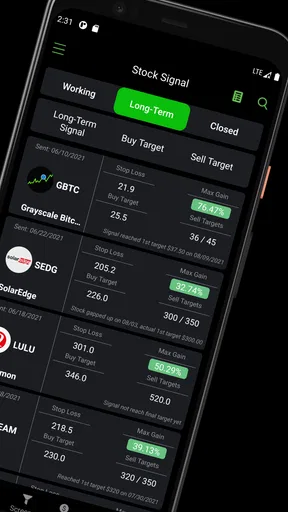
The signal layer can save time for a user who otherwise relies on manual scanning. If I have a short evening window to review the market, a signal-based shortlist gives me a starting point instead of forcing me to inspect dozens of charts without a plan. That is a genuine strength, particularly on a phone, where long research sessions can feel awkward.
However, I would not interpret a highlighted signal as a recommendation to buy immediately. A signal is an output from a method, and every method can miss context. A company may look attractive through a market pattern while still facing business, industry, valuation, or event-related risks. I would therefore use the app to generate questions: What caused this signal? Is the move unusually volatile? Does the company’s underlying situation support the trade idea? Would I still be comfortable owning it if the signal changed tomorrow?
This is one of the most important habits for using the app responsibly: record the reason a stock entered your shortlist before you act. If the only explanation is “the app indicated it,” the research process is too thin. If the signal is one part of a written checklist, it becomes much more useful.
A practical workflow for a busy weekday
Imagine I have a lunch break and want to review possible opportunities without making an impulsive trade. I can open the app, use the screener to narrow the field, inspect the names that match my chosen criteria, and note the signal information that makes each one interesting. I would then separate “worth researching” from “ready to buy,” because those are completely different conclusions.
After that first pass, I would check the company through a second source for information the screening process may not emphasize. I might review recent business developments, financial statements, major risks, and the broader market environment. The app remains useful in this routine because it handles the first sorting step, while another source supplies the deeper context. This two-stage workflow is more reliable than expecting one mobile tool to provide every answer.
A less obvious benefit is that the process can reduce attention drift. Without a shortlist, I can easily jump from one ticker to another and end the session with no clear conclusion. With a screener, I can define what I am looking for before I begin. That makes the app valuable even when the final decision is to buy nothing.
Alerts are most helpful when they create a review habit
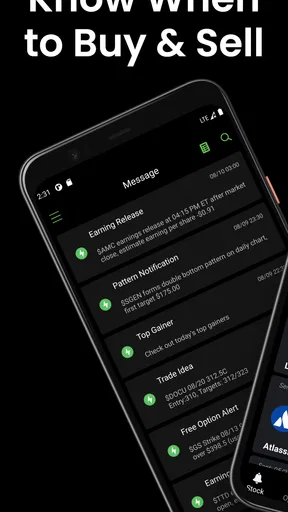
The alert-focused side of the app is potentially useful for people who cannot watch the market continuously. Instead of staring at price movement all day, I can let a notification prompt a review at a more sensible time. The key is to treat an alert as a reminder, not an instruction.
I would avoid enabling every possible notification at once. Too many alerts can turn a research tool into a stream of interruptions, encouraging rushed decisions. A better approach is to use alerts for a small watchlist or for conditions that genuinely matter to my strategy. When an alert arrives, I would first ask whether the event changes my original thesis or merely creates short-term noise.
This is also where the app’s mobile format has a trade-off. A phone makes alerts convenient, but it can encourage decisions based on a small screen and limited context. I would use the alert to open a research session, not to place an order while distracted.
What I would check before trusting a shortlist
Some of the most useful work happens after the app produces its results. I would compare the shortlist with my own rules rather than accepting it unchanged. For each candidate, I would note the reason it appeared, the risk that could invalidate the idea, the price level that would make the trade unattractive, and the maximum amount I am willing to lose.
I would also watch for concentration. A screener can return several companies from the same industry or market theme, making a list look diversified when it is not. If multiple candidates are exposed to the same economic factor, choosing all of them may simply multiply one risk. This is a limitation of the user’s process rather than necessarily a defect in the app, but the app’s convenience makes that check especially important.
Another useful discipline is to save a date-stamped note outside the app. Signals change, and memory tends to rewrite the reason for a decision after prices move. A simple record lets me judge whether the method is helping my process or merely making me more active. That is a more meaningful test than counting how many alerts I receive.
Who will get the most from this app
I think this finance app is a good fit for a beginner who wants a structured way to explore stocks but understands that screening is only the first stage of research. It may also suit an intermediate investor who already has a broker and wants a faster mobile tool for finding candidates or monitoring signal changes. The free entry point makes it easy to try without committing immediately to a paid financial platform.
It can be particularly helpful for someone who struggles with an unstructured watchlist. If I have accumulated too many tickers and no clear method for reviewing them, a screener can force me to define what matters. It is also suitable for a user who prefers short, repeatable research sessions rather than long desktop analysis.
I would be more cautious recommending it to a complete newcomer who expects the app to tell them exactly what to buy. The language around automated or intelligent signals can sound more certain than the underlying reality of markets. A new investor needs basic lessons about diversification, risk, costs, and time horizon alongside any screening tool. This app can support that learning, but it should not replace it.
It is also not my first choice for someone who needs a full portfolio-management system. If the main task is tracking deposits, calculating personal asset allocation, placing orders, or maintaining detailed tax records, a broker or dedicated portfolio application will usually be more appropriate. The same is true for a professional researcher who depends on extensive financial documents, customizable chart studies, and large-screen workflows.
How it compares with ordinary alternatives
Compared with manually browsing a broker’s stock list, Stocks Signals - Stock Tracker offers a more focused starting point. A broker is essential for trading, but its research area may not be the quickest place to build a signal-based shortlist. This app can fill that gap, provided I am willing to move between tools before making a decision.
Compared with a general financial news app, it appears more action-oriented in its organization. News apps are good for discovering what is happening, but headlines can encourage reactive behavior. A screener-based approach begins with conditions rather than excitement. That can make the research process calmer, although it also means I still need another source for the story behind a stock’s movement.
Compared with a spreadsheet, the app is more convenient for quick mobile discovery and alerts. A spreadsheet remains better for personal records, position sizing, trade journals, and testing a consistent set of rules over time. I would not choose one over the other: I would use the app for discovery and the spreadsheet for accountability.
Compared with a sophisticated desktop charting platform, the likely advantage is speed and accessibility rather than depth. On a phone, I can check a shortlist during a commute or between tasks. The compromise is that serious analysis may require a larger screen and more specialized tools. That trade-off is reasonable as long as I understand the app’s role.
Costs, access, and the version to expect
The app is free to install, which lowers the barrier for testing the basic experience. It includes optional in-app purchases ranging from around ten dollars to several hundred dollars per item, so I would pay close attention to what is included before purchasing anything. A free download should not be confused with unlimited access to every possible capability.
Because the purchase range is wide, my advice is to use the free experience long enough to decide whether the screening workflow actually fits your habits. Do not pay simply because a signal sounds more advanced. First identify the specific problem you want to solve, such as reducing a watchlist or receiving a timely prompt, and then decide whether the paid option addresses that problem in a way you will use regularly.
The application is suitable for Everyone and runs on Android starting with version 8.0. The current version is 4.9, and the developer is Stock Screener APP. It first appeared on May 10, 2021, giving it a longer presence than a brand-new experimental finance tool. Its reach is also meaningful, with over one hundred thousand installs, although its average rating of 3.4 from around four hundred ratings suggests that the experience is not universally satisfying.
I read that rating as a reason to keep expectations realistic, not as an automatic rejection. Finance apps can receive mixed reactions because users want very different things from them: some want alerts, others want execution, and others expect detailed education. Before installing, I would ask whether the app’s narrow screening purpose matches my needs. If it does, the rating alone should not decide the issue; if it does not, a higher-rated alternative in a different category may still be the better choice.
The limitations I noticed in the overall approach
The biggest weakness is the risk of overconfidence. An automated signal can make a complicated decision feel simple, especially when it appears in a clean mobile interface. That convenience is useful, but it can hide the amount of judgment still required. I would be uncomfortable using the app as my only research source or allowing an alert to determine position size and timing.
There is also a workflow limitation in moving between discovery and verification. Once I find an interesting stock, I may need another app or website to understand the company properly. That extra step is not a problem for a disciplined investor, but it may frustrate someone looking for a single destination. The app’s value depends on accepting that it is one part of a broader process.
Another concern is notification behavior. Alerts can improve awareness, but they can also increase trading frequency. If I respond to every change, the tool may make my investing less deliberate rather than more informed. I would set a review schedule and use notifications selectively, especially if I am investing for the long term.
The mixed public rating reinforces the need for a personal trial. A tool that feels efficient to one person may feel too limited or too signal-driven to another. I would judge it by whether it helps me make clearer decisions, not by how many candidates it surfaces or how often it produces activity.
My recommendation for using it well
I would start with a small watchlist and a written purpose. For example, I might use the app only to find candidates for further research, not to monitor every stock in the market. I would review the results at a fixed time, record why each name caught my attention, and then verify the idea elsewhere before considering an order.
I would also separate short-term signals from long-term ownership decisions. A signal may be useful for timing a review, while a long-term investment decision depends on business quality, valuation, financial resilience, and personal objectives. Mixing those time horizons is an easy way to misunderstand what the app is showing.
Finally, I would measure success by process rather than returns. If the app helps me avoid random browsing, maintain a manageable list, and pause before acting, it is doing something valuable. If it causes me to trade more often or chase every notification, I would reduce its role or stop using it.
After trying Stocks Signals - Stock Tracker, I see it as a focused companion for stock discovery rather than a complete investing solution. Its combination of screening, signal-oriented research, and alerts can make a mobile review routine more organized, and the free installation gives curious users a low-risk way to see whether that routine suits them.
My final recommendation is specific: try it if you already have, or are willing to build, a separate process for checking company fundamentals, managing risk, and executing trades. Skip it if you want a broker, a portfolio ledger, or a fully explained investment recommendation in one place. Use the signals to decide what to investigate, never what to believe without checking. With that boundary in place, the app can be a useful filter; without it, its convenience may encourage exactly the kind of rushed decision that good investing should avoid.
Verdict
Strengths of Stocks Signals - Stock Tracker
- Tracks stock prices and market movements in one convenient dashboard.
- Signal alerts can help users notice potential trading opportunities quickly.
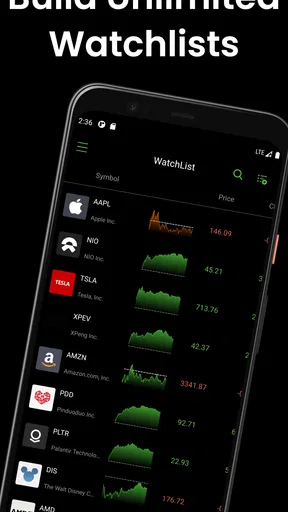
- Supports watchlists for monitoring selected companies without searching repeatedly.
- Useful charts make recent price trends easier to review at a glance.
- Suitable for beginners who want a simple way to follow market activity.
Limitations of Stocks Signals - Stock Tracker
- Signals are not guaranteed to be accurate or profitable investment advice.
- Some advanced information or tools may require a paid subscription.
- Market data can be delayed depending on the selected exchange or plan.
- The number of supported markets and assets may vary by region.
- Frequent alerts can become distracting during volatile trading sessions.
Other Releases by Stock Screener APP
View All
Stock Scanner - Market Mover
Finance3.1

Stock Screener - Stock Screens
Finance4.3
Similar Picks in This Category
View All
Google Wallet
Google LLC4.3

Airtel: Recharge, Bank & Loans
Airtel4.0

PayPal - Pay, Send, Save
PayPal Mobile4.2

DANA Indonesia Digital Wallet
PT Espay Debit Indonesia Koe4.5

Binance: Buy Bitcoin & Crypto
Binance Inc.4.8

Cash App
Block, Inc.4.7
Frequently Asked Questions
What is Stocks Signals - Stock Tracker used for?
Stocks Signals - Stock Tracker is designed to help users follow market prices, review stock information, and monitor potential trading opportunities from a mobile device. It can be useful for organizing a personal watchlist and checking market movements in one place. However, its signals and data should be treated as informational tools rather than personalized financial advice or guaranteed recommendations.
Are the stock signals accurate and reliable?
No stock signal can guarantee a profit, and the results may vary depending on market conditions, timing, data quality, and the individual security being analyzed. Stocks Signals - Stock Tracker may provide useful indicators or alerts, but users should verify information through additional reputable sources before making a trade. Always consider your own research, risk tolerance, and investment objectives.
Does Stocks Signals - Stock Tracker provide real-time market data?
The availability and speed of market information can depend on the app’s data providers, supported exchanges, subscription level, and internet connection. Some prices or signals may be delayed rather than fully real time, which is important when markets move quickly. Before relying on the app for active trading, check the data timing, supported markets, and any limitations described in its listing or settings.
Is Stocks Signals - Stock Tracker free to download and use?
The app may be available to download at no initial cost, but certain features can require in-app purchases, a subscription, or an upgraded plan. Premium access may include additional signals, alerts, market data, or analytical tools. Review the current pricing, renewal terms, trial conditions, and cancellation policy before subscribing, since these details can change between Android and iOS versions.
Can beginners use Stocks Signals - Stock Tracker safely?
Beginners can use the app as a learning and monitoring tool, especially for building watchlists and becoming familiar with price movements. Nevertheless, the interface or signals should not replace basic investment education. New investors should understand volatility, diversification, fees, and the possibility of losing money before placing an order. It is sensible to start with observation and research instead of acting on every alert.
